
How to Stop Losing Call Details Without Buying Into an Ecosystem
Phone calls carry the reference numbers, deadlines, and commitments your team runs on, and most of it disappears when the call ends. The usual fixes ask you to adopt a whole platform first. Here is another way.
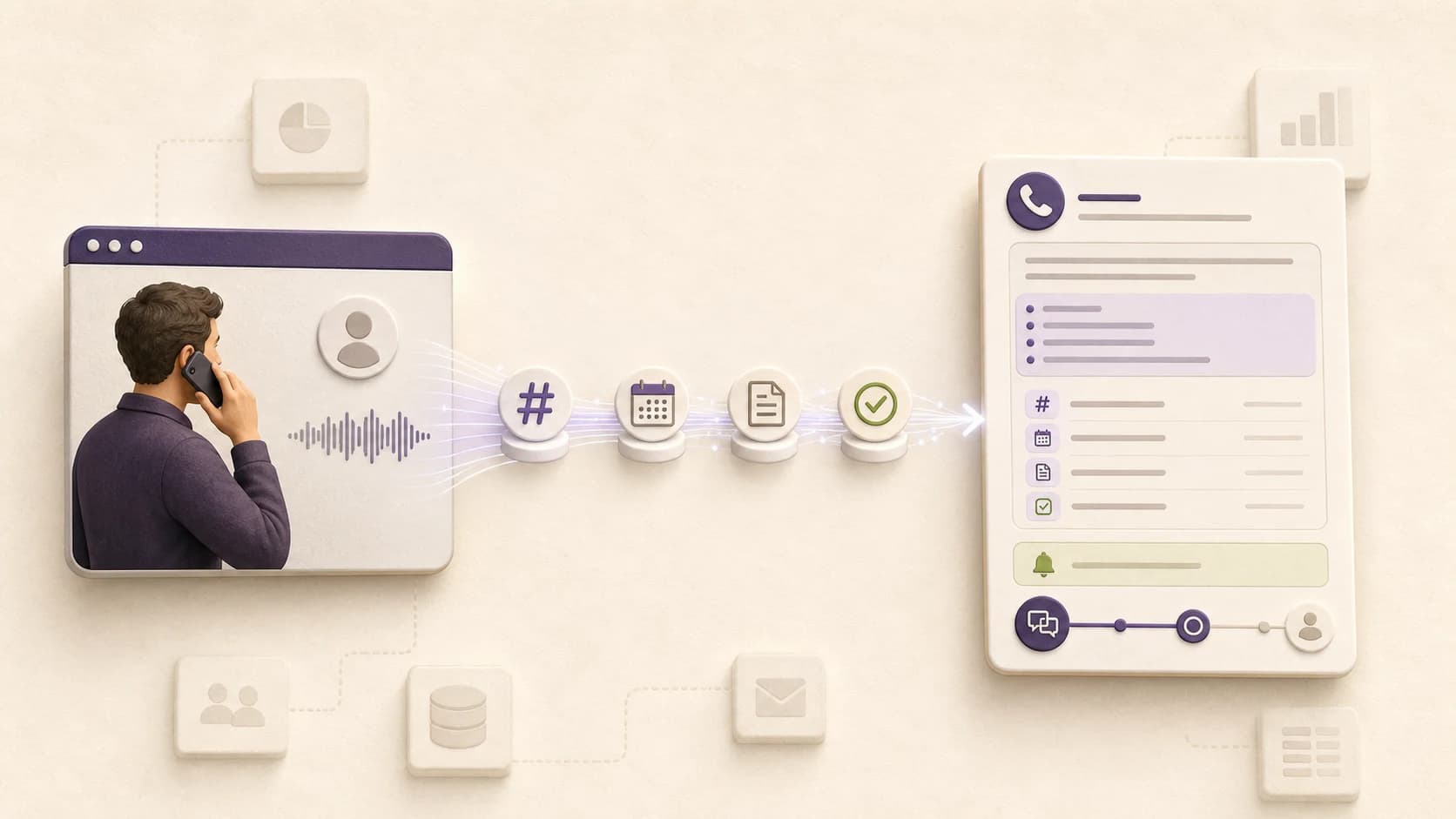
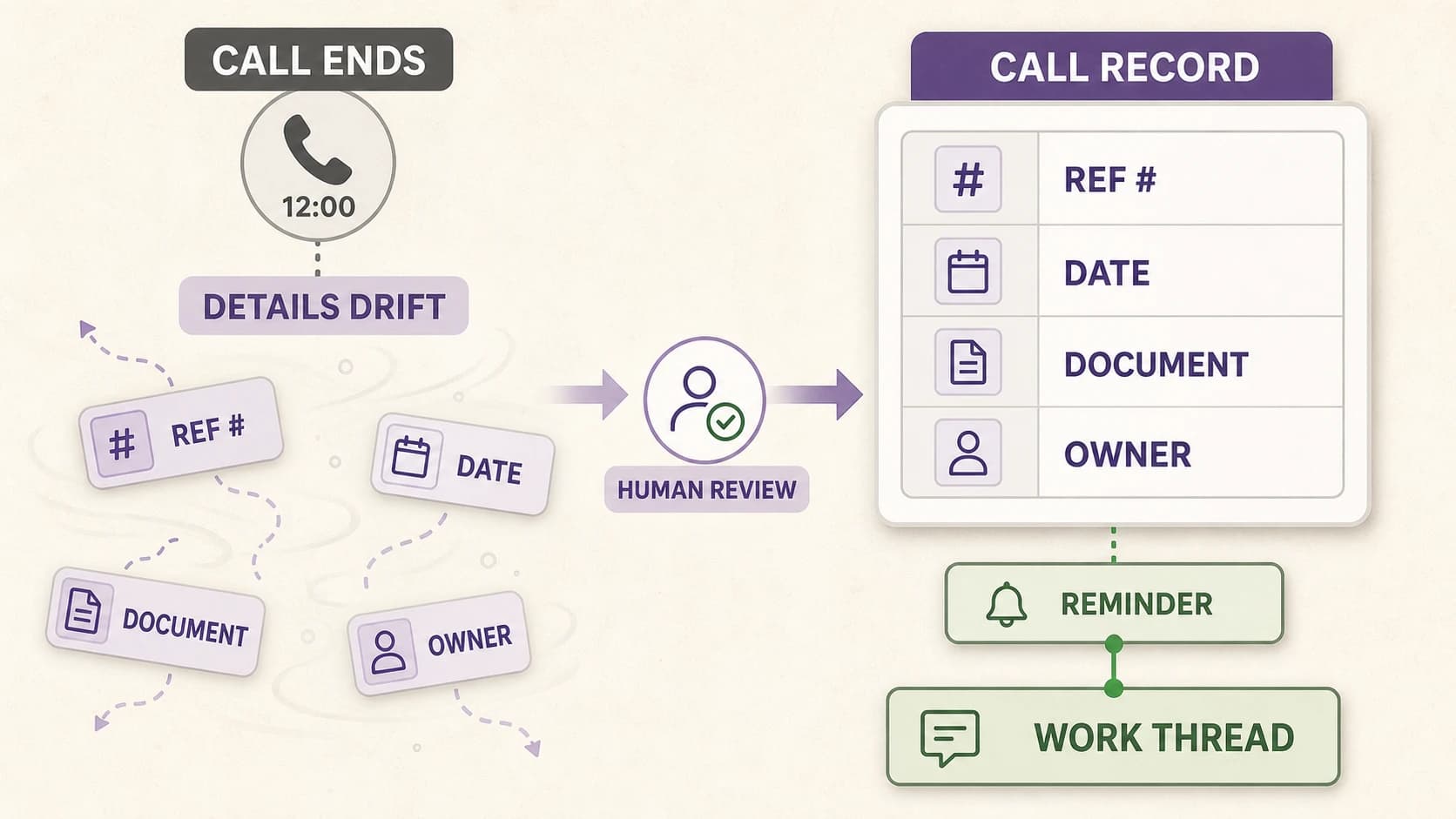
A supplier confirms a release date, gives a reference number, and names one document still outstanding. The call runs twelve minutes. Three weeks and four calls later, nobody can map reference numbers to invoices, attribute the commitment, or confirm the document went out. Nothing failed loudly. The team simply re-ran work it had already done, on a call placed to reconstruct facts that were stated out loud once.
This is the default failure mode of phone-based operations. It is structural, not a discipline problem, and it does not respond to hiring more careful people.
Why important call details go missing
Call details go missing because the phone is the only common business channel with no native record. Email and chat are reviewable by default. A call is spoken, synchronous, and unaddressable once it disconnects, so a detail survives only if an operator captured it correctly, in the right system, while simultaneously running the conversation.
That produces a predictable set of gaps:
- Reference, claim, ticket, and order numbers captured wrong or not at all
- Promised dates held in one operator's memory until they lapse
- Required documents named once and never converted into a task
- Commitments recorded without an owner
- Repeat calls on one case with no shared history, each starting from zero
- Details that leave the company with the operator who took the call
Recording does not close the gap, it relocates it. Retrieval cost stays high: finding one sentence means replaying forty minutes of audio, which no team does at operational tempo.
The usual fix requires adopting a platform first
The standard remedies ship inside large platforms, so AI notes on your calls arrive bundled with that platform's licensing model, admin surface, and migration cost. That is efficient if you already operate there. It is expensive if you are a small operations team that needs nothing more than the details from the calls you already make.
What Microsoft Teams requires
Microsoft's call AI is capable, and its prerequisites are documented. Per Microsoft Learn, intelligent recap on a PSTN call requires a Teams Phone license and a calling plan, plus either a Teams Premium or a Microsoft 365 Copilot license, and an administrator must enable the transcription policy before anything is produced at all. The base Teams license is separate again.
Microsoft's published prices show the stacking. As of July 27, 2026: Teams Phone Standard at $10 per user per month, Teams Phone with domestic and international calling at $34 per user per month, both on top of a Teams license, neither including the AI layer. For a five-person team, the binding constraint is usually not the spend. It is that nobody holds admin rights in the tenant.
What sales engagement platforms require
Sales engagement platforms gate calling behind their upper tiers, because the dialer is a feature of a prospecting suite rather than the product itself. On one widely used platform's published pricing as of July 27, 2026, with annual billing, the tier carrying a domestic dialer with call recordings and AI insights runs $79 per user per month, and the international dialer sits a tier higher at $119 per user per month with a three-seat minimum.
The result: a team that wants reviewed notes on calls to a supplier in Portugal buys a contact database, sequencing, and a prospecting workflow in order to reach international dialing. These platforms are strong at their actual job, which is high-volume prospecting. Supplier follow-up, claims, verification, and onboarding are a different workload with different failure modes.
Both categories are legitimate. The constraint is narrower: closing a call-data gap should not require adopting an ecosystem you had no other reason to buy.
A call record layer that stands on its own
Voxandra is an AI platform for multilingual business calls. It translates both sides of live phone conversations, provides private guidance while people talk, and turns each call into a reviewed Call Record.
It runs in the browser. No phone system migration, no carrier contract, no desk hardware, no tenant policy for anyone to enable. Sign up, dial, and the call returns as a structured, searchable record. Each record carries:
- AI notes covering what mattered, so nobody replays the call
- A transcript of what was said, not a paraphrase of it
- Extracted fields: reference numbers, dates, amounts, required documents, commitments, owners
- Reminders and action items derived from the call
- Contacts, kept current from the calls themselves
- The work thread the call belongs to
One deliberate constraint: model output lands as a draft, not as the record. An operator reviews it, corrects whatever the model got wrong, and only then is it trusted. In operational work that step is load-bearing, because one transposed digit in a claim number costs another call.
Reminders and work threads carry the case forward
One record is insufficient when a case takes four calls across three weeks. A work thread is the branch of work a call attaches to: a supplier payment, a claim, a verification, an onboarding. Related calls, open items, and extracted details stay bound to the case instead of dispersing across separate call logs and individual memory.
Continuity is what makes the next call cheap. A pre-call brief opens with what the thread already contains, what remains open, and what was promised last time, so the conversation resumes instead of restarting.
International calling with the destination rate on screen
Calling is bundled because a record layer that only works domestically is useless. Operational work crosses borders: a supplier in Portugal, a claims office in Spain, a verification call to Brazil. Voxandra dials internationally from the browser against prepaid credits, and the destination rate is displayed before the call connects, so cost never surfaces first on an invoice.
Rates vary by destination and are always shown before dialing — for the exact number you typed, not an average for the country, because a landline and a mobile in the same country can differ by more than an order of magnitude. US and Canada run $0.06 per minute; European landlines start at $0.06; European mobiles cost more, and the dialer names the figure before the call connects. Every rate is set at least twice the underlying carrier cost for that route. Every paid plan includes a monthly calling allowance, quoted in minutes rather than dollars because that is what you are actually buying: about 42 US/Canada minutes on Solo at $29 per month, 83 on Starter at $49 for five seats, 417 on Team at $149 for eight seats, and 1,250 on Operations at $449 for twelve seats.
Rates are not the reason to adopt Voxandra. They are what makes it viable to keep every important call inside one system, instead of routing cross-border calls to a mobile phone where no record is produced at all.
In-call capabilities, not only post-call output
Two capabilities run during the conversation rather than after it. Live Voice Translation lets the operator and recipient speak different selected languages and hear translated speech on a normal phone call. Live Guidance delivers private prompts to the operator while that translated conversation is in progress.
Both are included on every paid plan. Solo includes 30 minutes of Live Guidance and 5 minutes of Voice Translation per month; Starter 60 and 10; Team 180 and 30; Operations 500 and 120. Past the included minutes both keep working from the same credit balance. Voice Translation ranges from $0.35 per minute on Solo and Starter to $0.25 on Operations; Live Guidance ranges from $0.70 to $0.45. Plans differ by volume and seats, not by which live features are available.
Query your call records from your own AI tools
Voxandra exposes a read-only MCP server, so your AI clients query call history directly. Connect Claude Code, Codex, Cursor, OpenClaw, Hermes, Claude Desktop, or any MCP client, then ask across records instead of clicking through them: what this supplier committed to last month, which claims have open items, what is outstanding before tomorrow's call.
The surface is intentionally narrow. Eight read-only tools cover search, list, and get across call records, reminders, contacts, work threads, and pre-call briefs. No raw audio is exposed, because Voxandra does not retain raw audio, and no billing data is exposed either. The endpoint cannot place calls or mutate anything. Keys are personal, workspace-scoped, shown once, stored hashed, rate-limited, and revocable.
Who this is for
Voxandra fits teams whose calls generate downstream work and whose details are expensive to lose. It is not a phone system replacement, not a CRM, and not an autonomous calling agent. Today a human places every call and reviews every record.
- Supplier and payment follow-up teams chasing release dates, references, and documents
- Insurance and claims operations tracking reference numbers and escalation deadlines
- Customer onboarding and activation teams handling prerequisites across many accounts
- Background verification teams working through checkable facts by phone
- Relocation and immigration agencies running cross-language calls on fixed timelines
- Small operations teams with no IT department and no appetite for a platform migration
Where to start
One real call is enough to evaluate this. Sign up, dial a number you were going to call anyway, and inspect the output: the notes, the extracted fields, the reminders it created, and the thread it attached the call to. If the record holds what you would otherwise have had to remember, the product is working.
Make the call. Review the record. Keep the work moving.
The Voxandra Team